Operating System
An Operating System is an interface between a computer user and computer hardware. An operating system is a software which performs all the basic tasks like file management, memory management, process management, handling input and output, and controlling peripheral devices such as disk drives and printers.
- It is a collection of software that manages a computer’s hardware and applications by allocating resources, including memory, CPU, input/output devices and file storage.
- The primary purposes of an Operating System are to enable applications (softwares) to interact with a computer's hardware and to manage a system's hardware and software resources.
- It manages all the resources of a computing device.
- Acts as a bridge between application software and computer hardware.
- Controls and coordinates CPU, memory, storage, and I/O devices.
- Manages and controls the execution of all programs, including applications and system utilities.
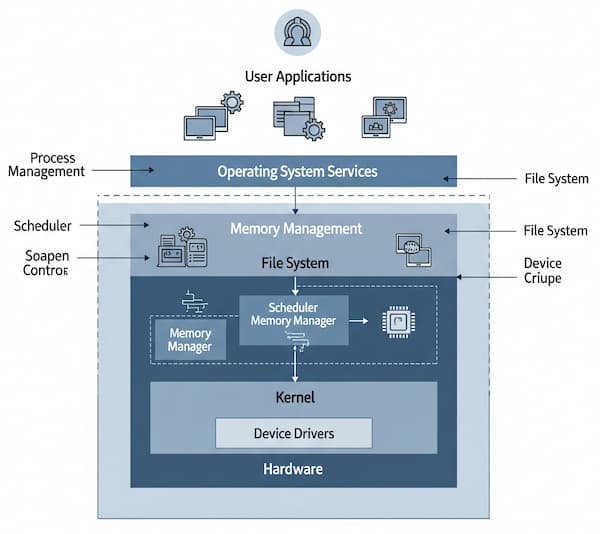
A user interacts with an operating system through a user interface (UI), which issues commands in a language the OS can understand. The UI can be either a graphical user interface (GUI) or a command-line interface (CLI). Billions of people rely on operating systems as the underlying management system for tasks like sending emails, browsing the internet, playing video games and more. Every computer system—from mainframes to desktops to mobile devices—requires an operating system to run applications, manage hardware, and perform essential tasks.
- According to a Statista report, Microsoft Windows leads the global desktop, tablet, and console OS market with about 67 %, followed by Apple macOS in second place.
- In the mobile OS market, Android holds roughly 72 % share, while Apple’s iOS follows with about 27 %.
- In open-source software, Linux is the most popular operating system, valued by organizations and individuals for its flexibility and security.
Why Use OS
Here are the main reasons why we use an Operating System (OS), presented point-wise for clarity:
1. Hardware–Software Bridge
Acts as a middle layer between hardware and application software so users and programs don’t need to handle low-level device details.
2. Resource Management
Efficiently manages CPU, memory, storage, and input/output devices, allocating them to different processes without conflict.
3. Process & Task Control
Enables multitasking—running multiple programs at once—and controls scheduling, execution, and termination of processes.
4. File & Data Management
Provides a file system to store, organize, and retrieve data securely and quickly.
5. Security & Protection
Controls user authentication, permissions, and data protection, shielding the system from unauthorized access or malware.
6. User Interface
Offers easy interaction through graphical user interfaces (GUI), command-line tools, touch screens, or voice interfaces.
7. Networking & Communication
Handles network connections, data sharing, and internet access without requiring applications to manage complex protocols.
8. Device & Driver Handling
Provides device drivers so hardware components (printers, cameras, USB devices) can work seamlessly with software.
9. Error Detection & Recovery
Monitors system operations and detects or recovers from errors, ensuring stability and reliability.
10. Performance & Convenience
Improves system performance, simplifies application development, and gives users a smooth and consistent experience.
Types of Operating Systems
- Batch Operating System.
- Multiprogramming OS.
- Multitasking OS.
- Multi-Processing OS.
- Distributed Operating System.
- Embedded Operating System.
- Real-Time Operating System.
- Mobile Operating Systems.
- Network Operating System.
Examples of Operating Systems
- General-purpose computing → Windows, macOS, Linux
- Mobile devices → Android, iOS
- Servers & cloud → Windows Server, RHEL, Ubuntu Server
- Embedded/IoT → RTOS, Zephyr
- Specialized devices → Game consoles, smart TVs